
Released
RaporGo
A visual PDF report editor that keeps every report as a plain JSON file, so LLM tools can edit it too.
- Type
- Software
- License
- MIT
- Latest release
- v0.1.0 · Sept 2026
- Downloads
- 1
- Language
- TypeScript
About
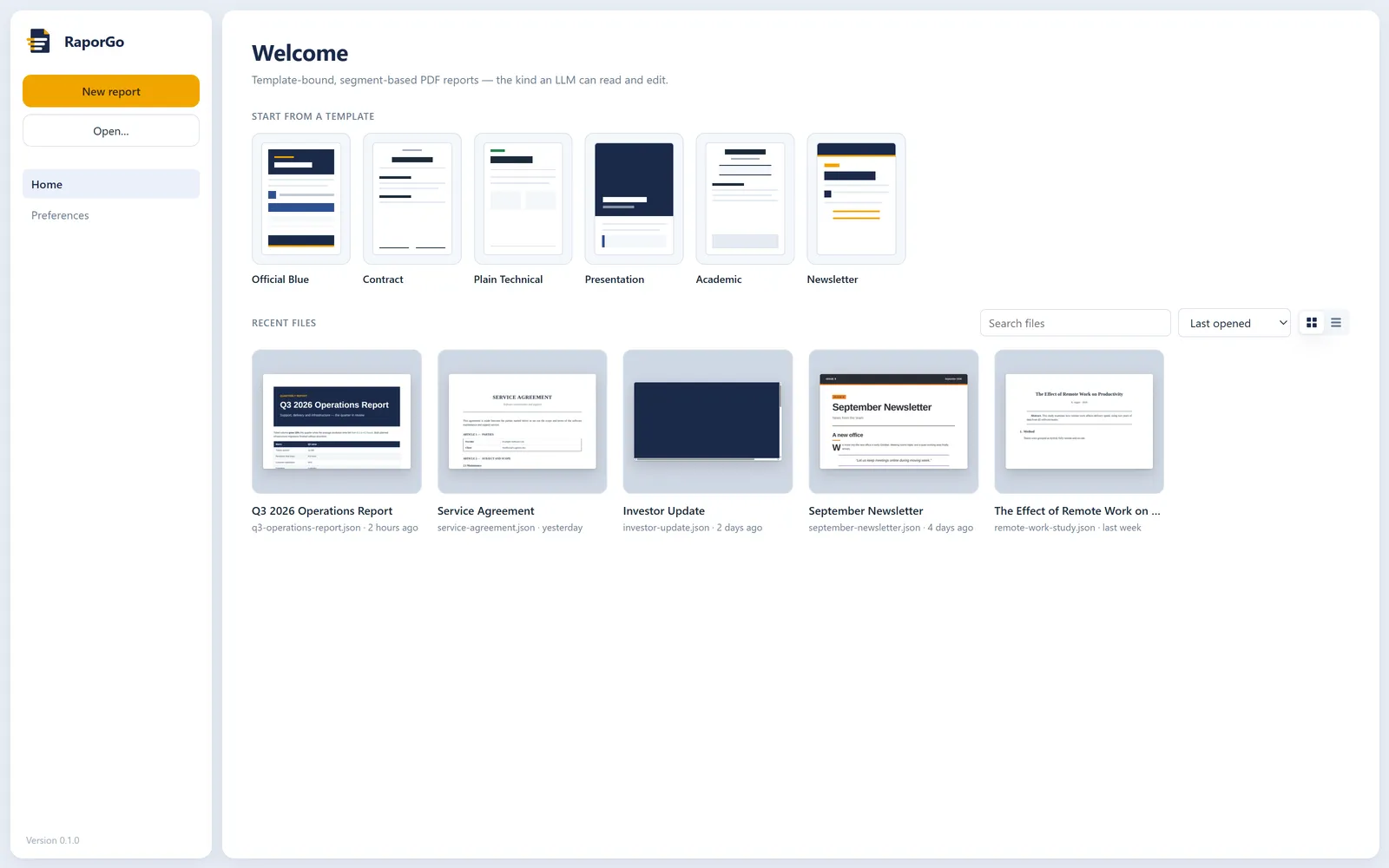
RaporGo is a report editor that works like a CV builder: pick a template, arrange segments (headings, tables, charts, flow steps, callouts, images) and export a PDF.
The difference: a report is not state locked inside the app, it is a plain JSON file on disk. Any tool that can run code, such as Claude Code, Codex or Gemini CLI, can read and edit it in one go, even while the editor is open. The editor preview and the PDF come from the same render engine, so page breaks match exactly.
Gallery
From GitHub
Build your report in a visual editor, preview it live and export it as a PDF. RaporGo is a free, open-source desktop editor for reports built from templates and segments.
It works like a CV builder: pick a template, arrange segments (headings, tables, charts, flow steps, callouts, images) and export a PDF. The difference is that a report is not state locked inside the app. It is a plain JSON file on disk. Any tool that can run code, such as Claude Code, Codex or Gemini CLI, can read it and edit it in one go, even while it is open in the editor.
Download
Get the Windows installer from the latest release.
The installer is not code-signed yet, so Windows SmartScreen may warn you the first time. Choose More info → Run anyway. You can also build it from source.
What you get
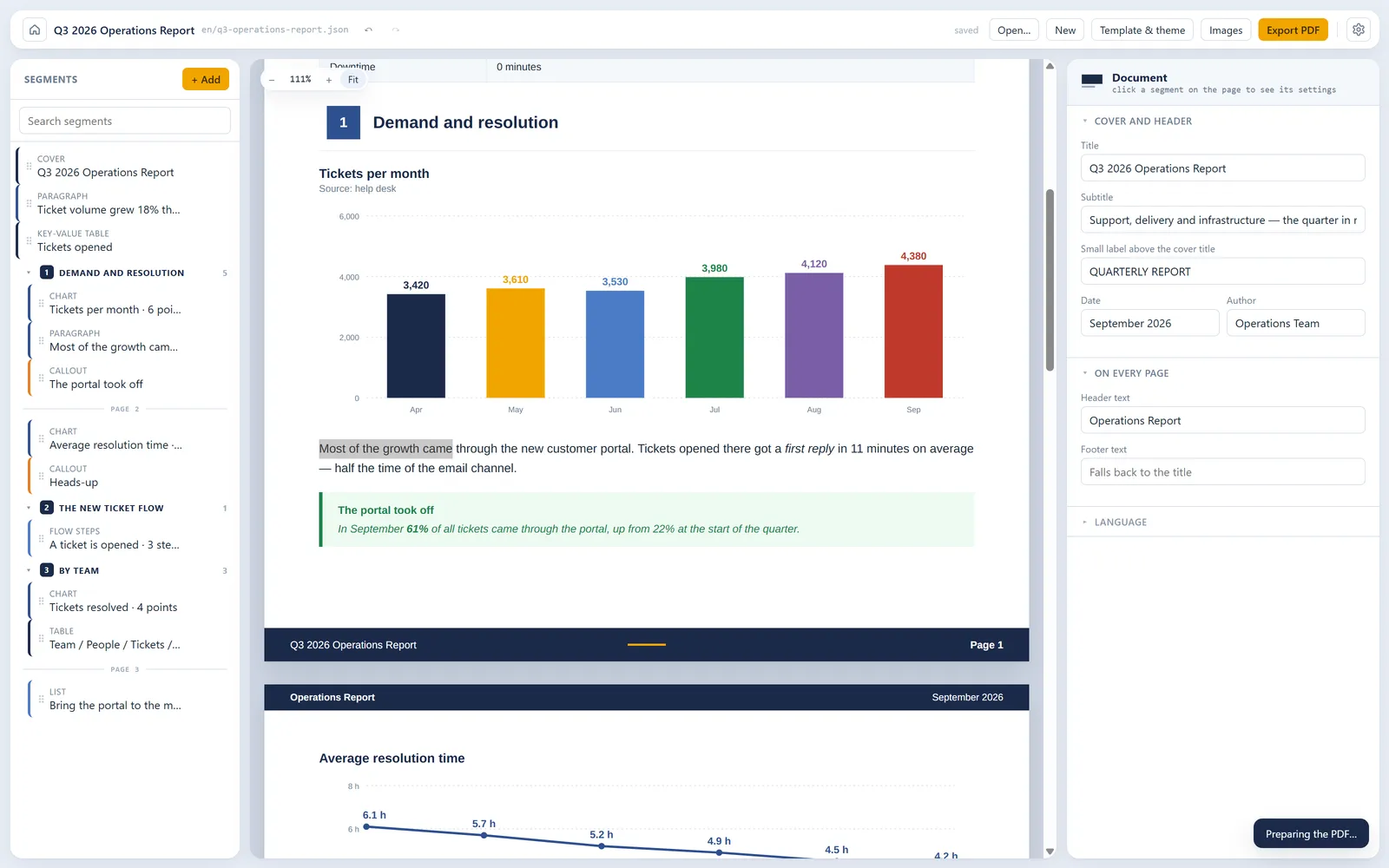
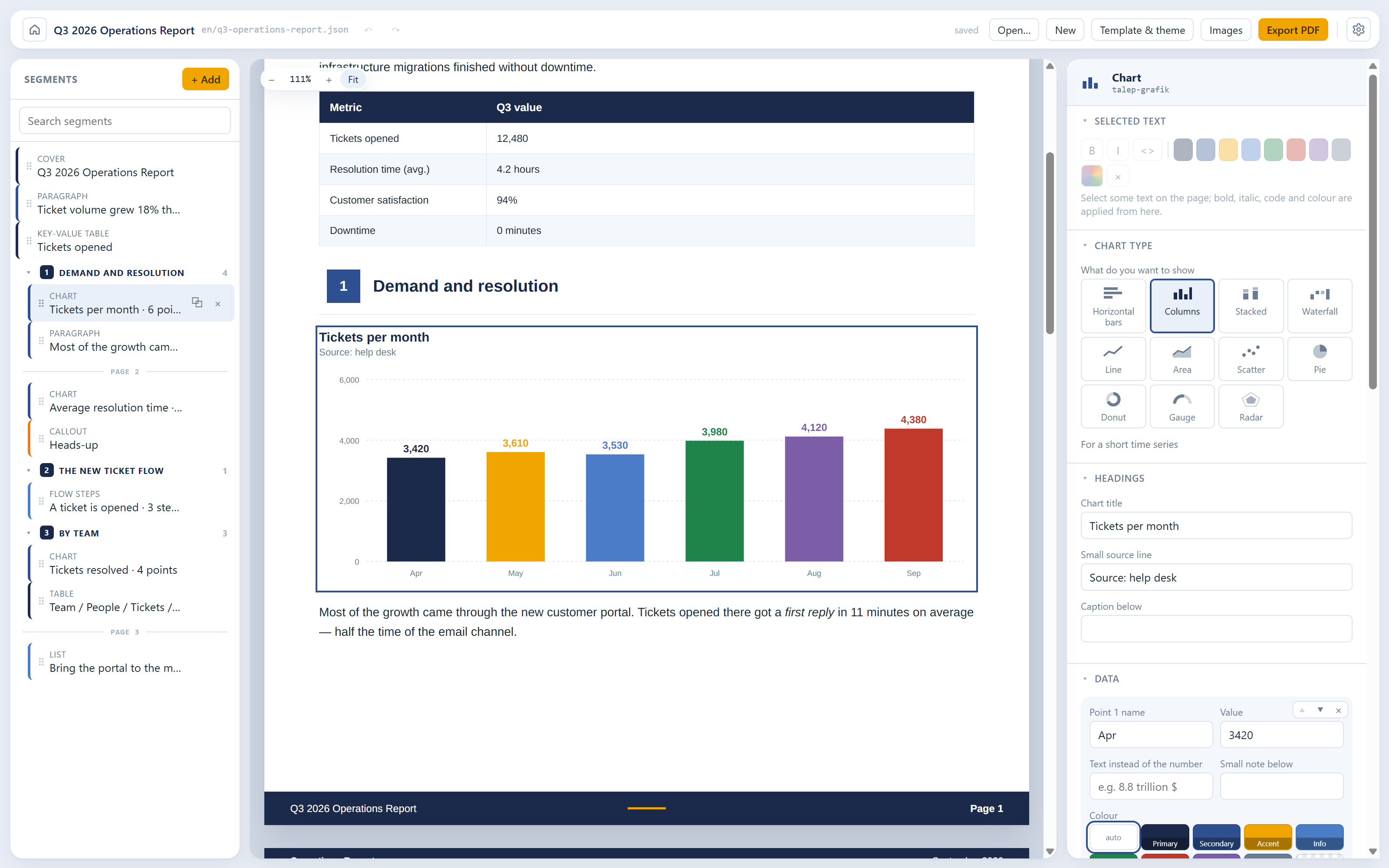
- What you see is the PDF. The preview and the export share one render engine (HTML + CSS → Paged.js → Chromium), so the page breaks in the editor are the real page breaks.
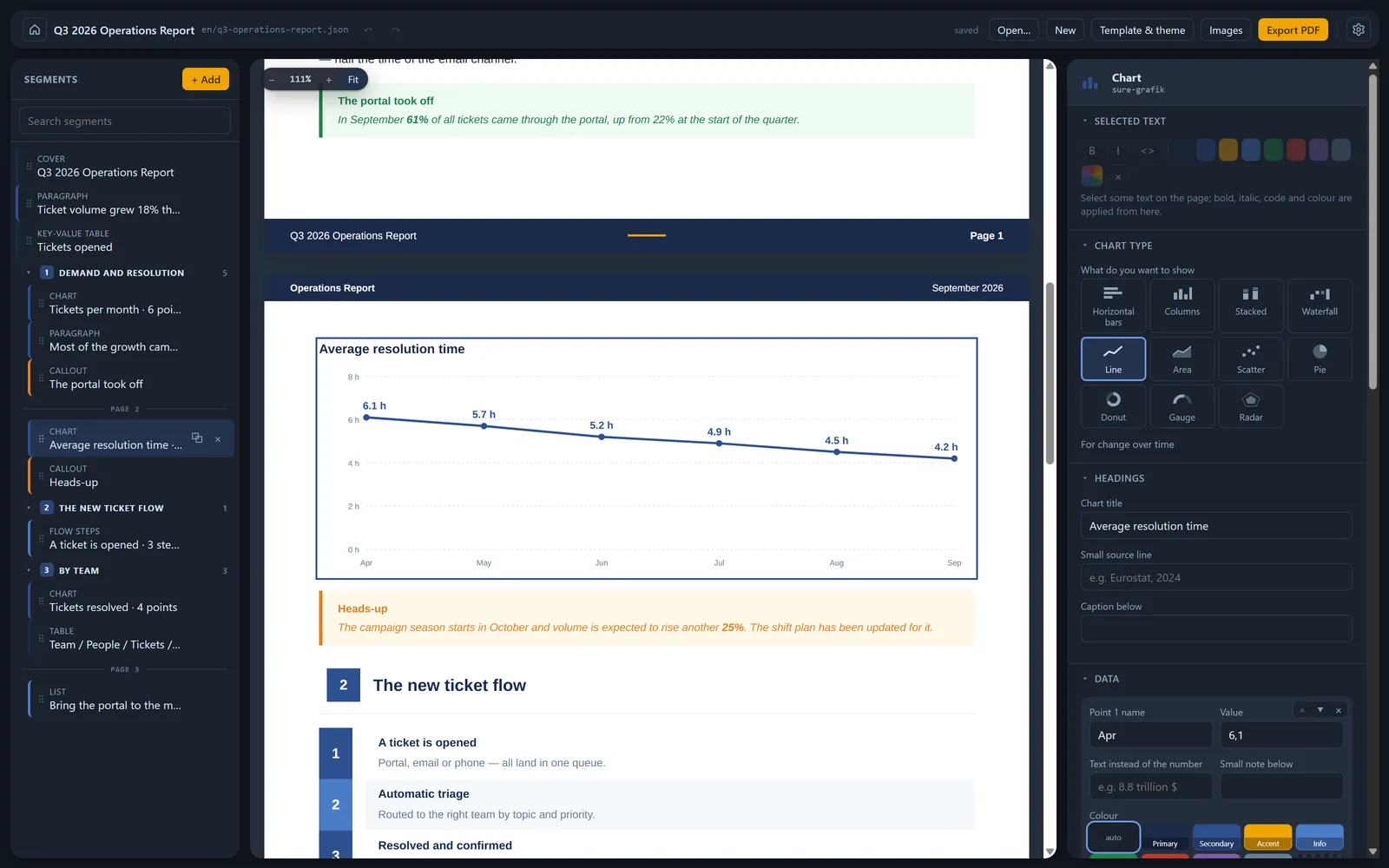
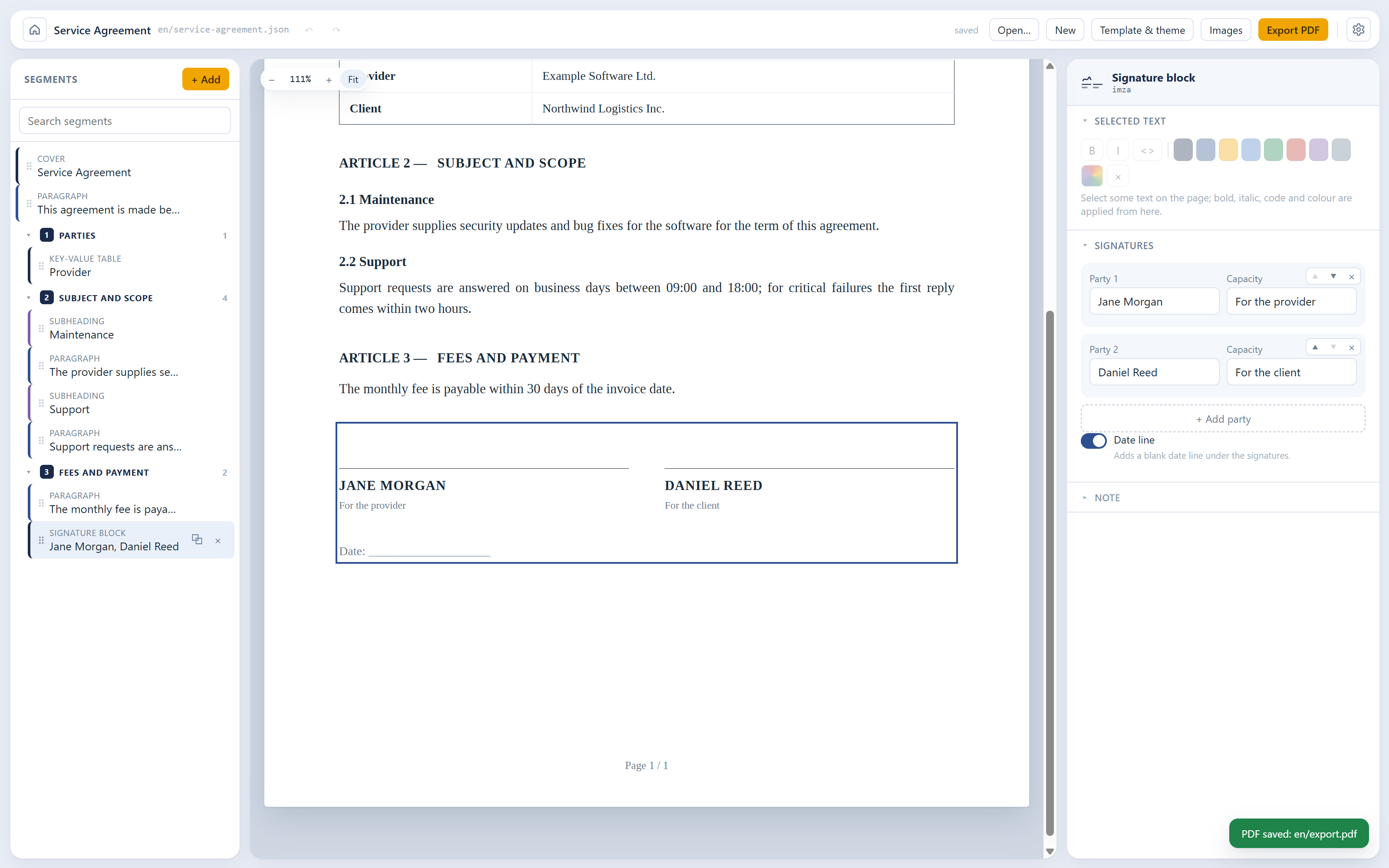
- Edit on the page. Click any text in the preview to change it. Select a phrase to make it bold, italic, code or coloured. Everything else lives in the properties panel on the right.
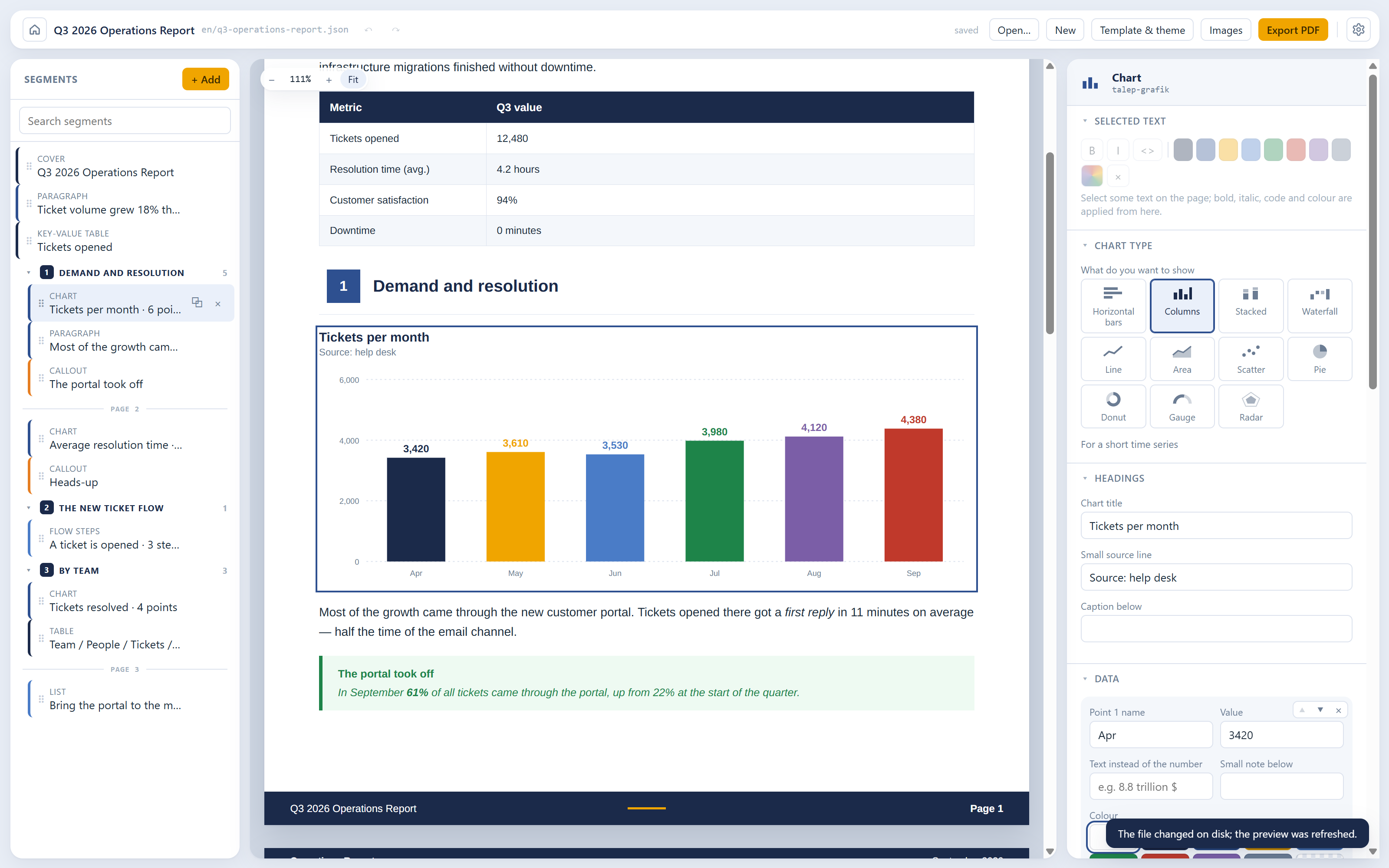
- Charts are data, not images. Eleven chart types, drawn by the template in the document's font and palette, and edited by typing numbers.
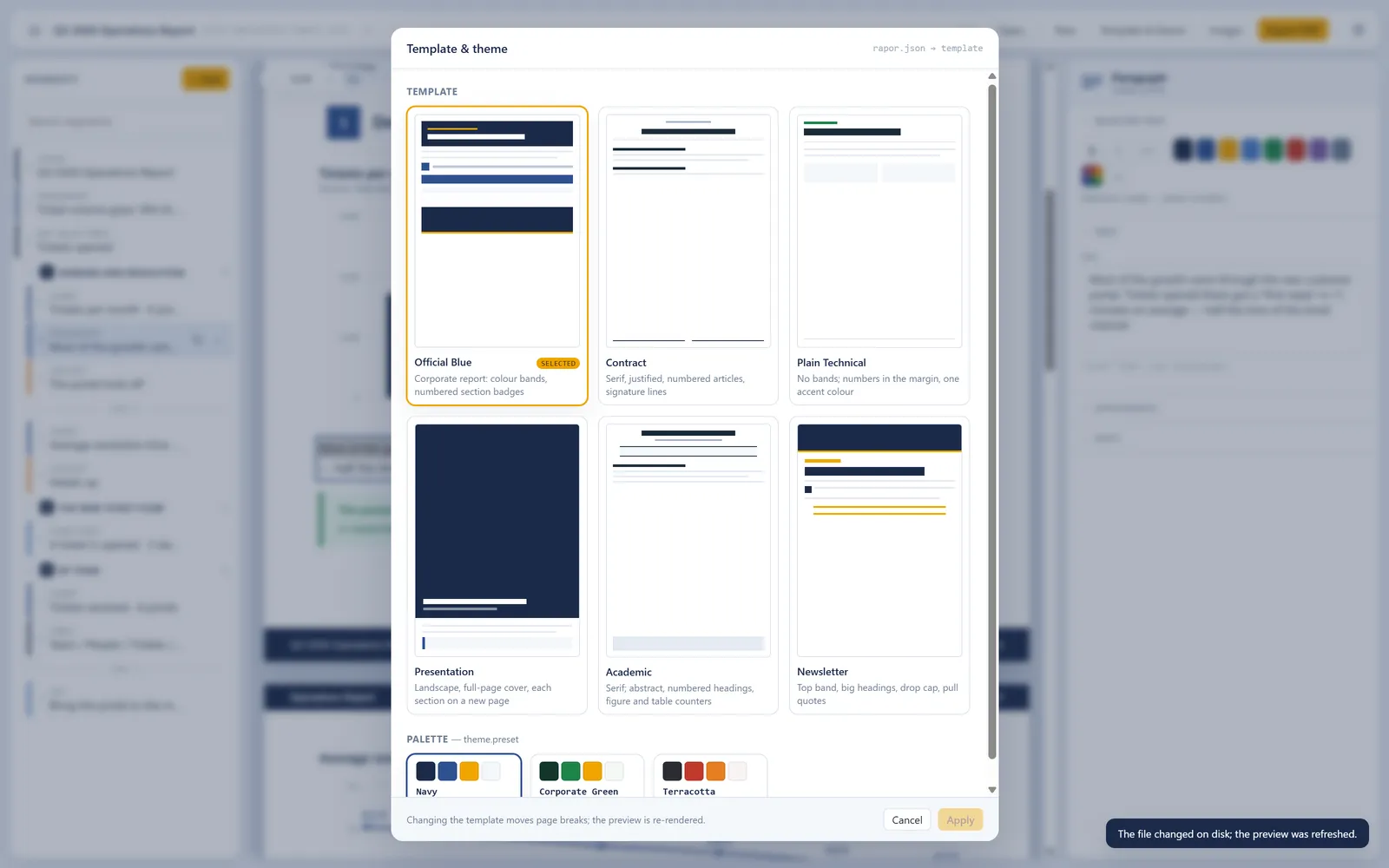
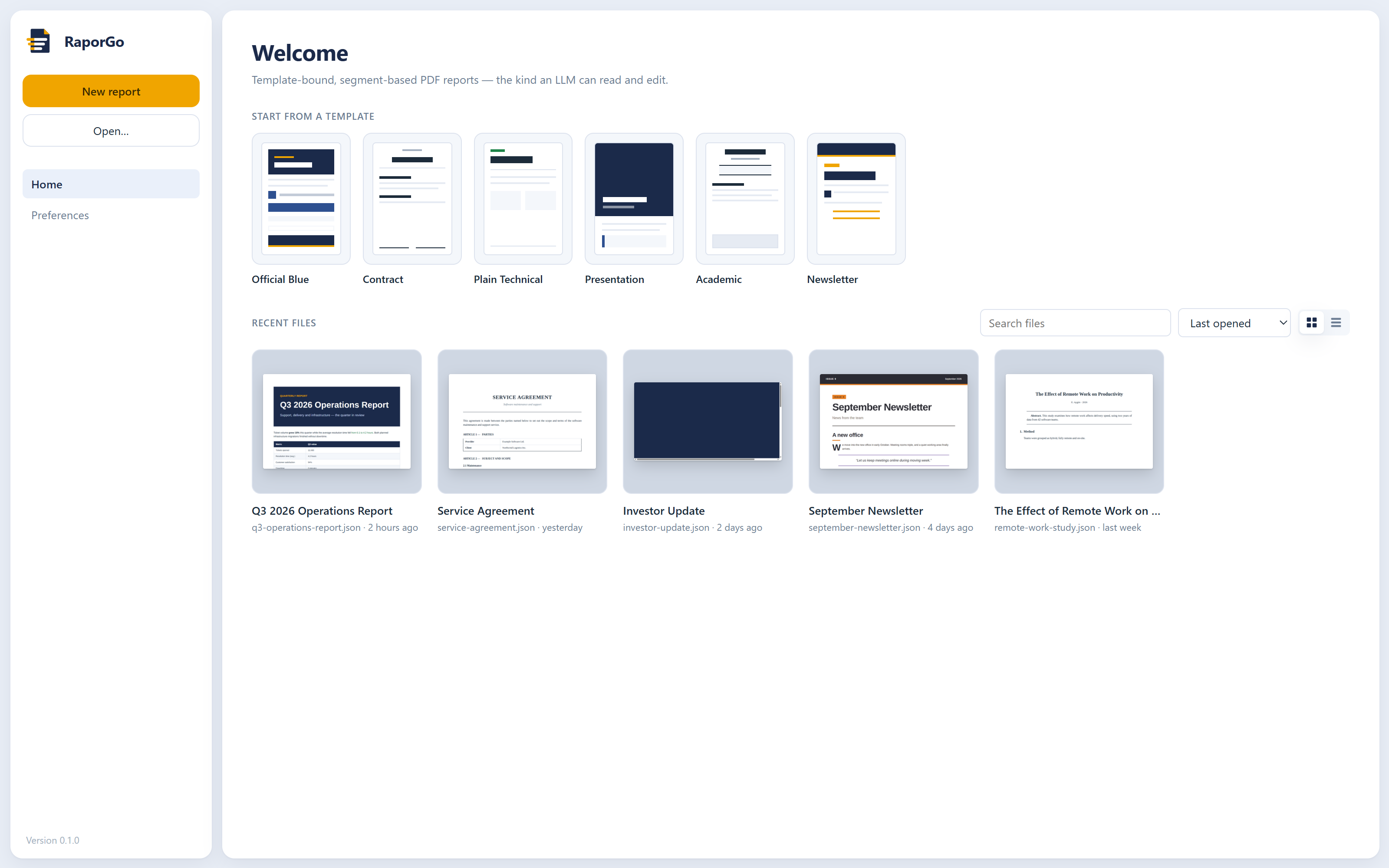
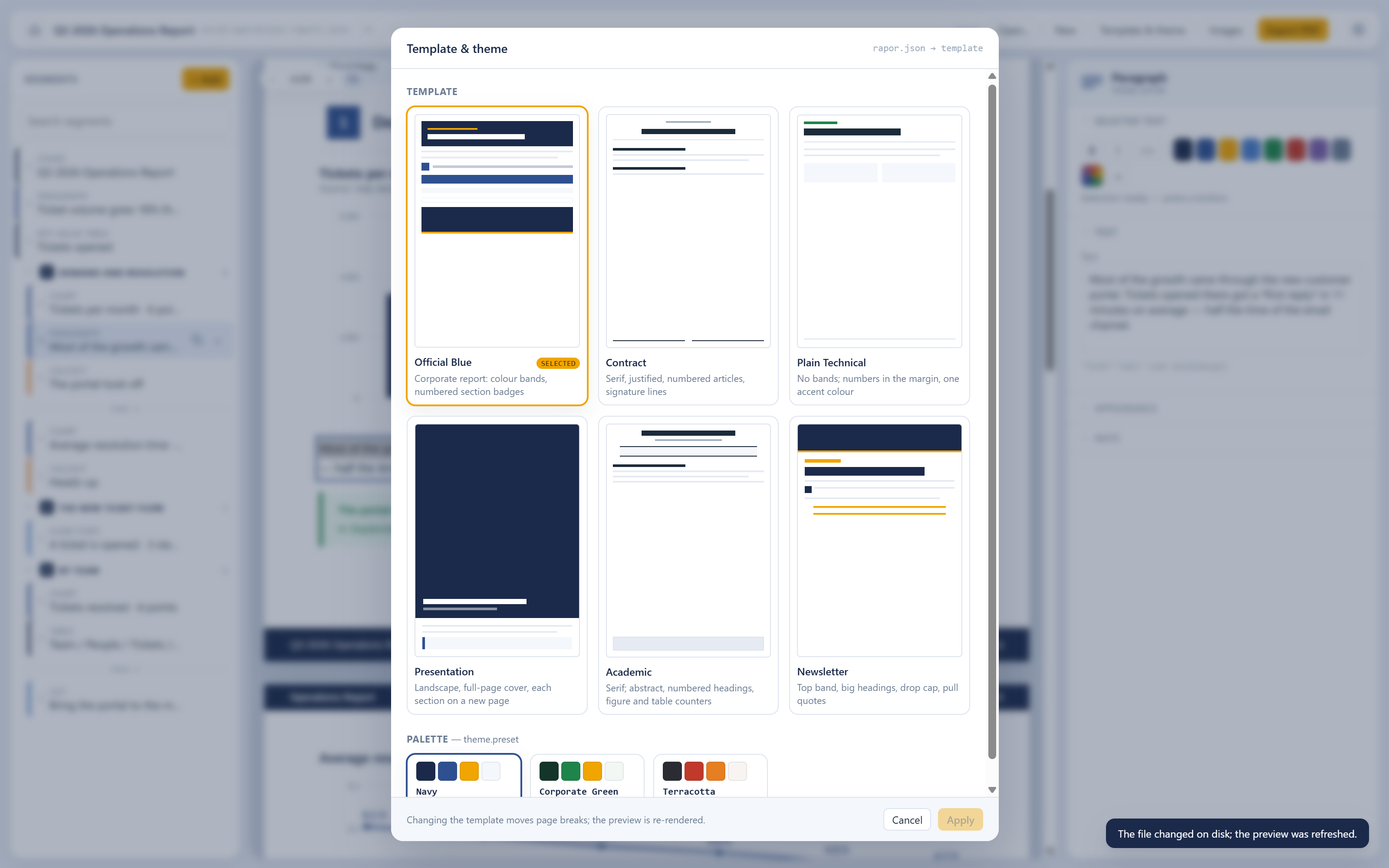
- Six templates, one file. Switch between a corporate report, a contract, a technical note, a landscape deck, an academic paper and a newsletter. The segments stay the same; the page changes.
- Ten languages. The interface, the menus and the words a template prints (such as "Page 3" or "Figure 2") come in English, Turkish, Spanish, German, French, Portuguese (Brazil), Italian, Russian, Chinese (Simplified) and Japanese.
- Light, dark or system theme. The page itself stays white paper in every theme.
- No account, no cloud. Reports are files on your disk. Images go into an
image_Assets/folder beside the report.
Hand the JSON to your AI
Every report file starts with a short English _llm block. It lists the segment types and their
fields, the inline markup, the templates and the languages. The block is generated from the JSON
Schema and rewritten on every save, so it never goes stale. To have an AI edit a report, give it
the .json file and nothing else.
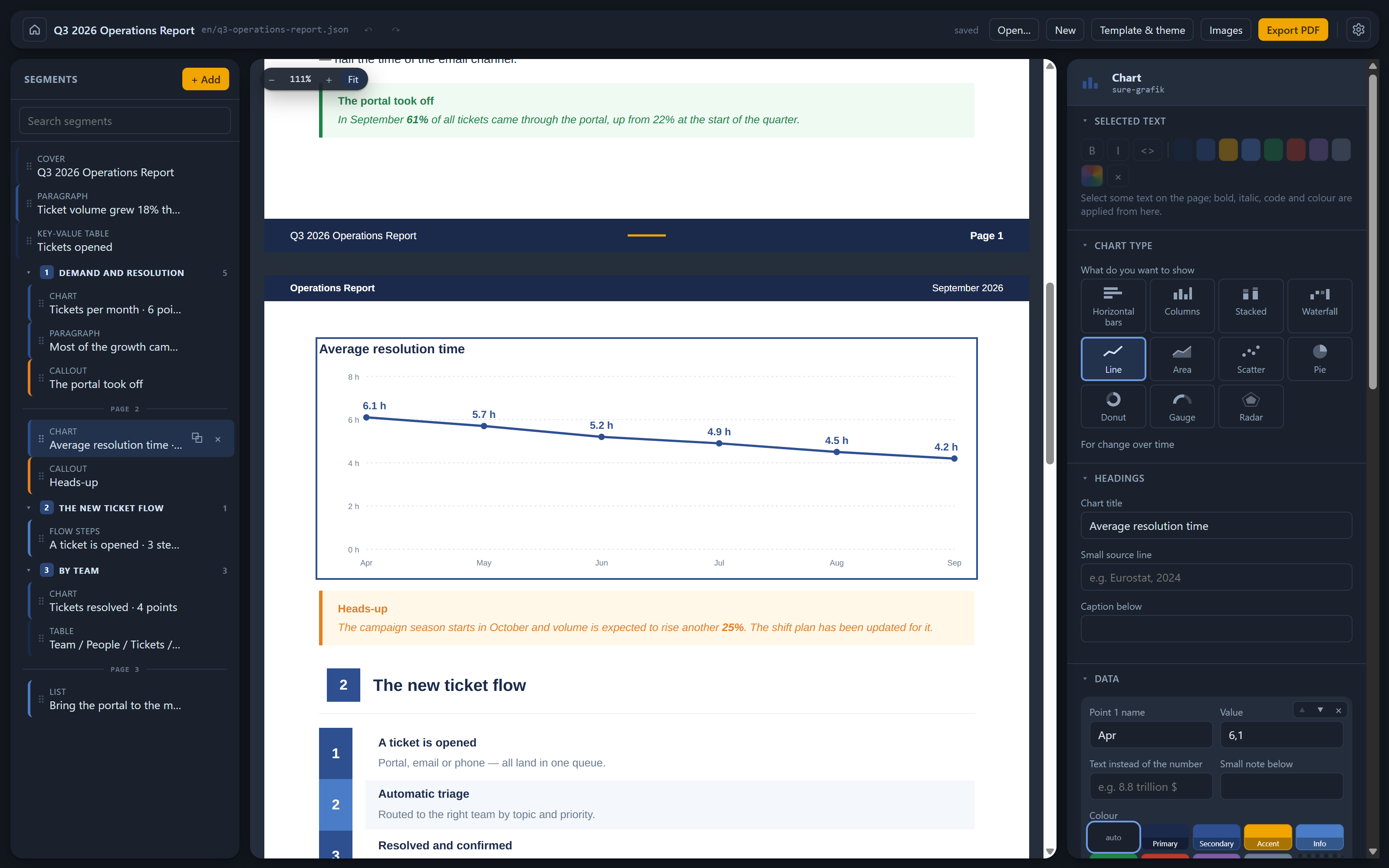
While the report is open, the editor watches the file. When an AI (or you, in a text editor) changes it, the preview redraws at once. The editor never overwrites the new version with its old copy.
you > The portal went from 22% to 61% of tickets.
      Add a callout after the growth paragraph.
ai  ● Read q3-operations-report.json
    ● Edit q3-operations-report.json  + callout "The portal took off"
There are three ways to work:
| How | |
|---|---|
| By hand | Pick a template → fill in segments → preview → export |
| Mixed | Build the skeleton yourself → ask an AI to "rewrite section 3" → the preview updates → polish → export |
| Automated | An AI builds the report from scratch with the raporgo CLI → open it in the editor, fix, export |
Templates
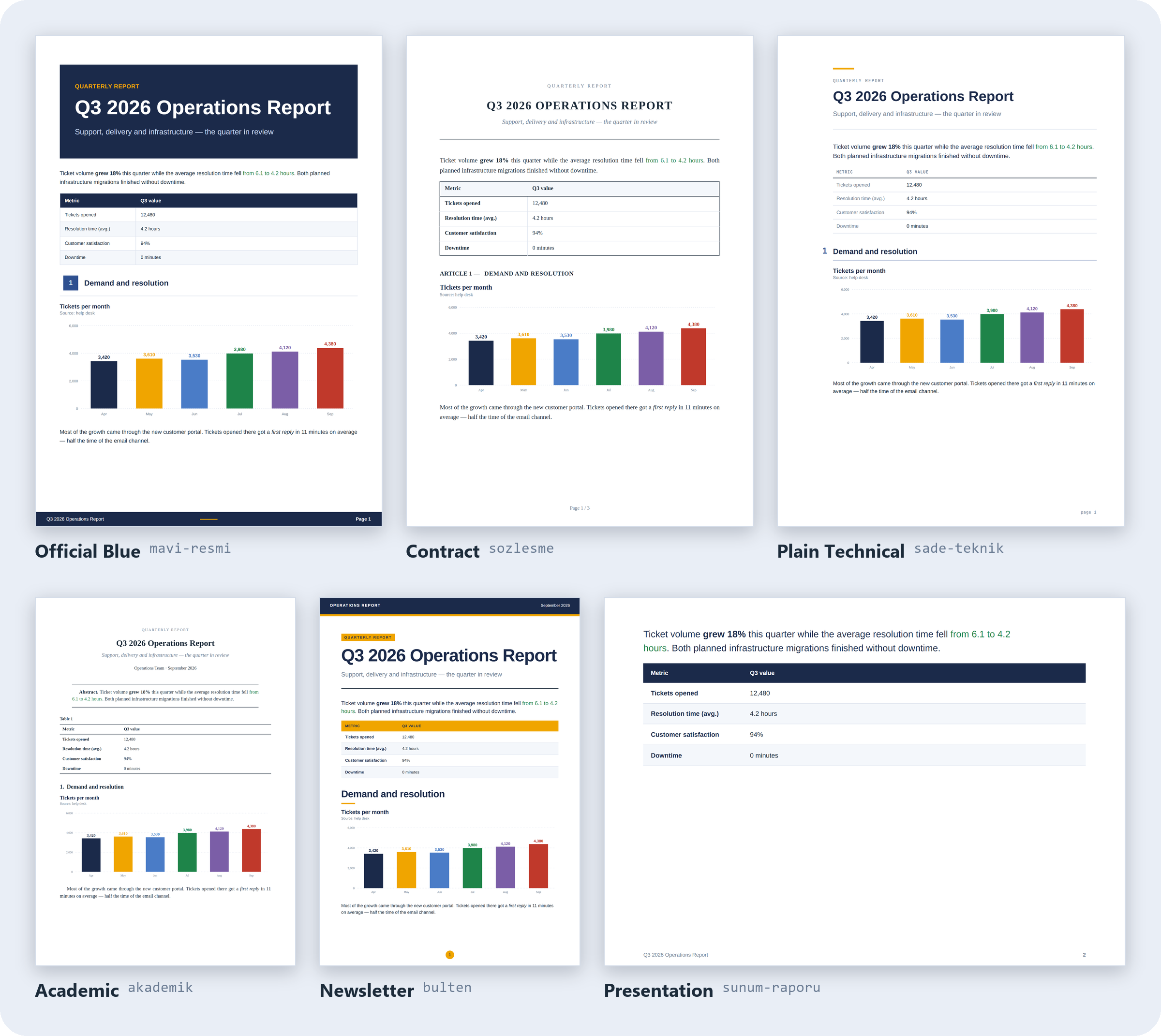
The same report, printed with each template:
| Template | Character |
|---|---|
mavi-resmi (Official Blue) |
Corporate report: colour bands, numbered section badges, zebra tables |
sozlesme (Contract) |
Contract: serif, justified, ARTICLE n / n.m numbering, signature lines |
sade-teknik (Plain Technical) |
Technical note: no bands, numbers in the margin, a single accent colour |
sunum-raporu (Presentation) |
Deck: landscape pages, full-page cover, every section on a new page |
akademik (Academic) |
Paper: serif, abstract, numbered headings, figure and table counters |
bulten (Newsletter) |
Newsletter: top band, large headings, drop caps, pull quotes |
The palette is independent of the template: lacivert (navy), yesil-kurumsal (corporate
green) or kiremit (terracotta). Each template uses the palette's roles in its own way.
Fonts are embedded in the repo (Arimo, Tinos and JetBrains Mono, all under the OFL). System fonts are never used, so the output is identical on every machine, in CI and wherever an AI runs it.
The file format
{
  "_llm": ["RaporGo report: the RaporGo app turns this JSON into a PDF.", "…"],
  "schemaVersion": "1.0",
  "template": "mavi-resmi",
  "meta": { "title": "Q3 2026 Operations Report", "language": "en" },
  "segments": [
    { "id": "cover", "type": "cover" },
    { "id": "intro", "type": "paragraph", "text": "Tickets grew **18%** this quarter." },
    { "id": "s1", "type": "section", "title": "Demand and resolution" },
    { "id": "tickets", "type": "chart", "chart": "column", "title": "Tickets per month",
      "data": [{ "label": "Jul", "value": 3980 }, { "label": "Aug", "value": 4120 }] }
  ]
}
Four rules make the format easy for an AI to work with:
- Every segment has a stable
id, so you can say "change this segment". - Images are files under
image_Assets/, not base64. One embedded PNG would make the file unreadable. - The JSON Schema is published (
schema/rapor-1.0.json), so an AI can check its own output. - The file explains itself through the
_llmblock described above.
The full contract (in Turkish) is in docs/LLM.md. Working examples are in
examples/showcase.
Build from source
This is a pnpm workspace. npm install does not work, because the packages depend on each
other through the workspace:* protocol.
pnpm install
pnpm build
To start the desktop editor:
pnpm dev
To render a report from the command line: the CLI prints through Playwright's Chromium, which you install once. The editor prints with its own Chromium and doesn't need it.
pnpm --filter @raporgo/render exec playwright install chromium
node packages/cli/dist/bin.js render examples/showcase/en/q3-operations-report.json -o report.pdf
The CLI also reads and edits reports segment by segment (outline, get, set, insert,
move, remove, meta, theme, validate). Run node packages/cli/dist/bin.js --help for the
list. To build the Windows installer, run pnpm --filter @raporgo/desktop run dist.
Repository layout
| Package | Responsibility |
|---|---|
packages/core |
Document model: Zod schema, segment operations, file I/O, validation, the _llm guide |
packages/templates |
Six templates, shared segment markup, theme tokens, embedded fonts, document-language labels |
packages/render |
Document → HTML pipeline; PDF and layout measurement through Playwright for the CLI |
packages/cli |
The raporgo command-line interface |
apps/desktop |
The Electron editor |
Tests
pnpm test
Besides the unit tests, a layout test renders the showcase report and compares every segment's box on the page against a committed baseline, within 1.5 px. If you change a template on purpose, regenerate the baseline and read the diff:
pnpm --filter @raporgo/render run baseline
Contributing
Issues and pull requests are welcome. CONTRIBUTING.md (in Turkish) covers the workflow, how to add a template and how the ten interface languages are kept in sync.
License
MIT. The embedded fonts are under the SIL Open Font License; their licences are in
assets/fonts/.